A Technical Deep Dive Into the New Raycast
The story behind Raycast's cross-platform rewrite and the details that make it feel fast, delightful, and familiar.


We've just shipped the public beta of Raycast 2.0. It's the biggest release since we first launched Raycast back in 2020, and the first version that runs on both macOS and Windows.
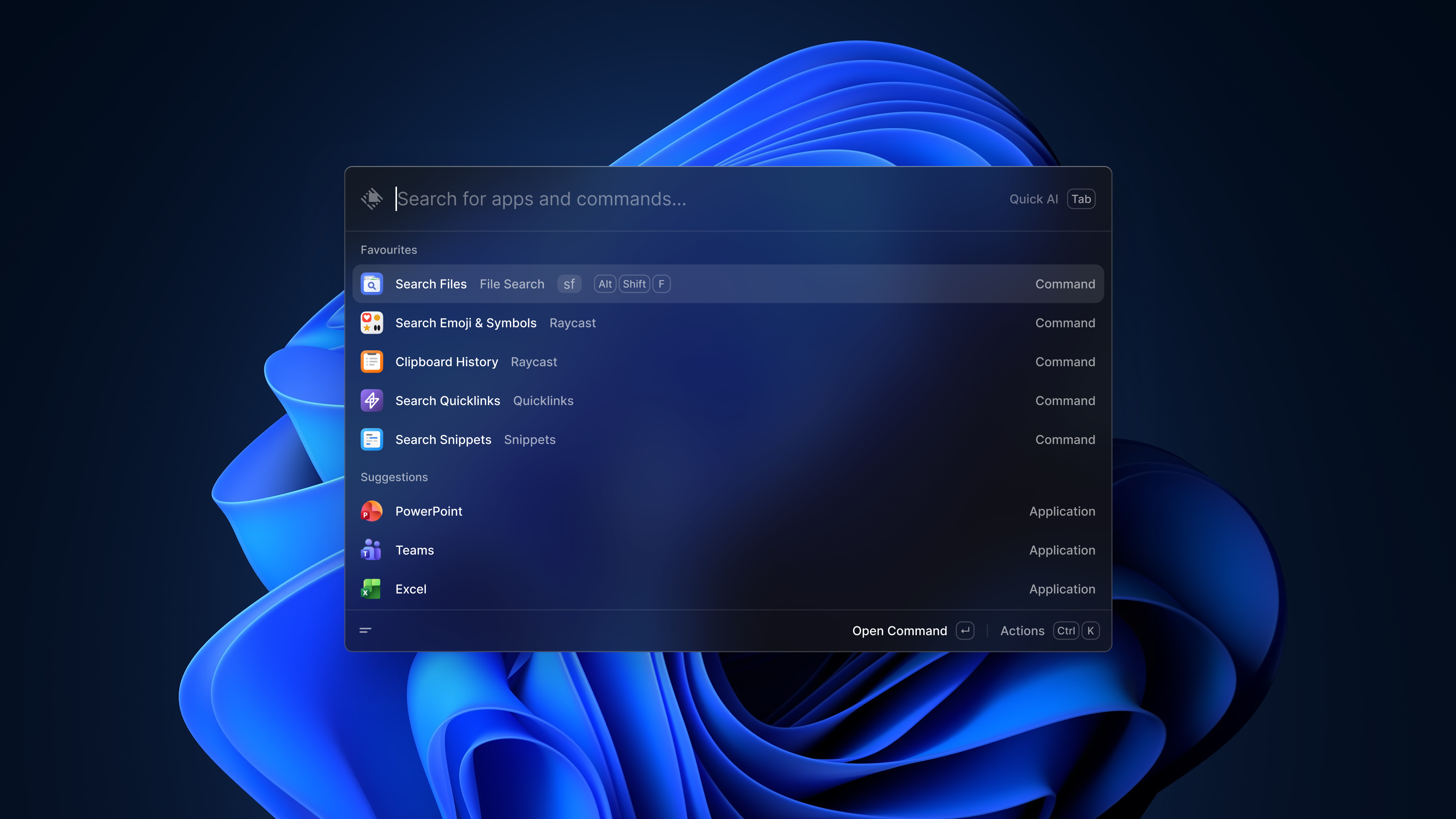
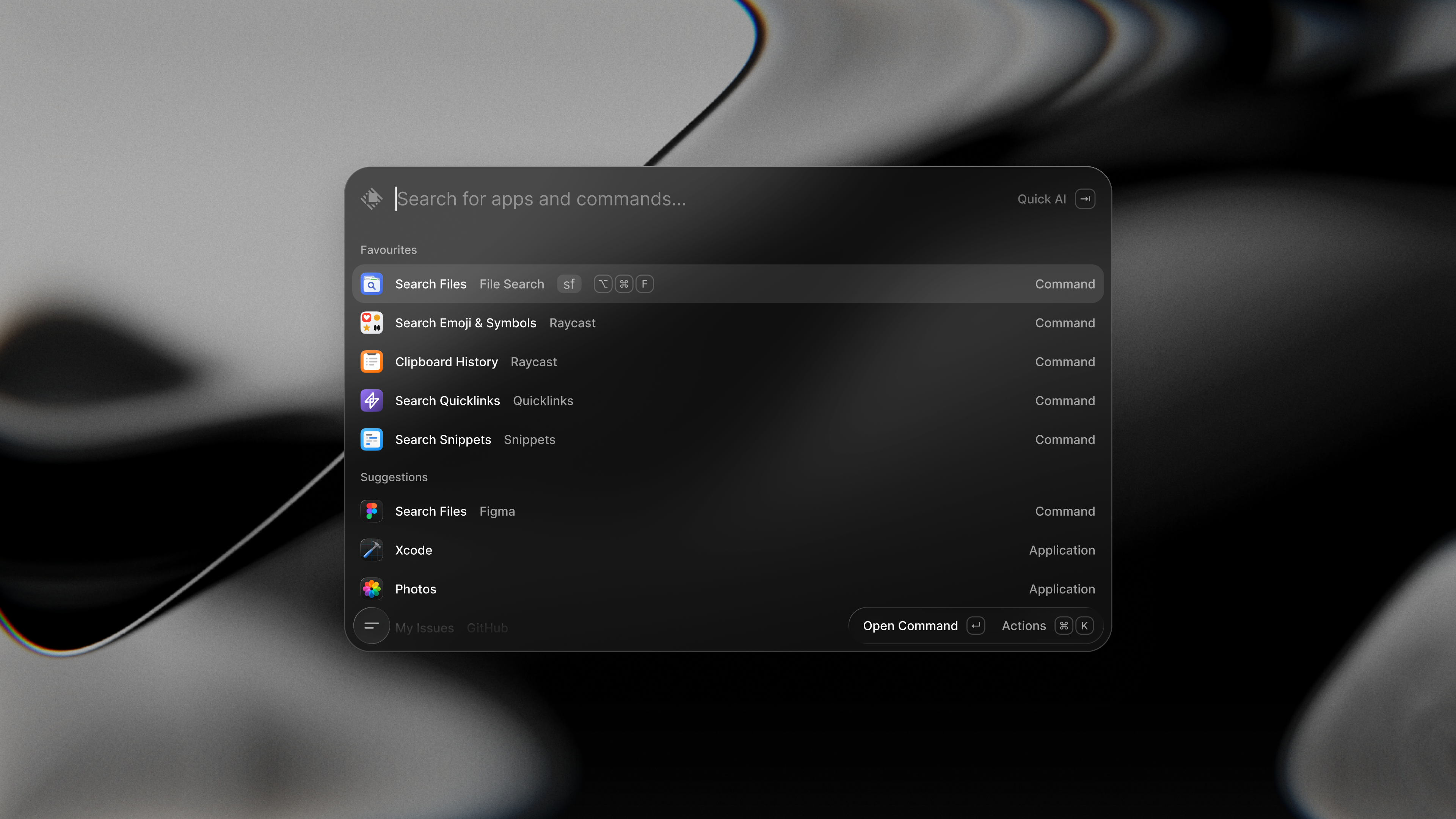
To get there, we rewrote the app from the ground up. A new architecture and a stack that mixes TypeScript, Swift, C#, Rust, Node, and React. Web technologies have been part of Raycast from the start, powering extensions and Notes. In v2, we doubled down, while keeping the app feeling as native and fast as it always has.
If the launch post was about what's new, this one is about how it's built. The story behind the rewrite, the calls we made along the way, and what it took to pull off a rewrite of this size. The hard part wasn't making Raycast run. The hard part was making it feel right.
Where we started
Raycast v1 was, at its core, a native macOS app built with Swift on top of AppKit. We almost never reached for standard UI components. They weren't built for the kind of keyboard-first, power-user workflows we cared about, so we built our own. Every list row, every shortcut, every default behavior was handled by us. We didn't make a lot of use of SwiftUI either. It matured in parallel with Raycast and never quite cleared our bar for performance and control. The one place it lives in v1 is the yearly Wrapped feature, which is well isolated from the rest of the app.
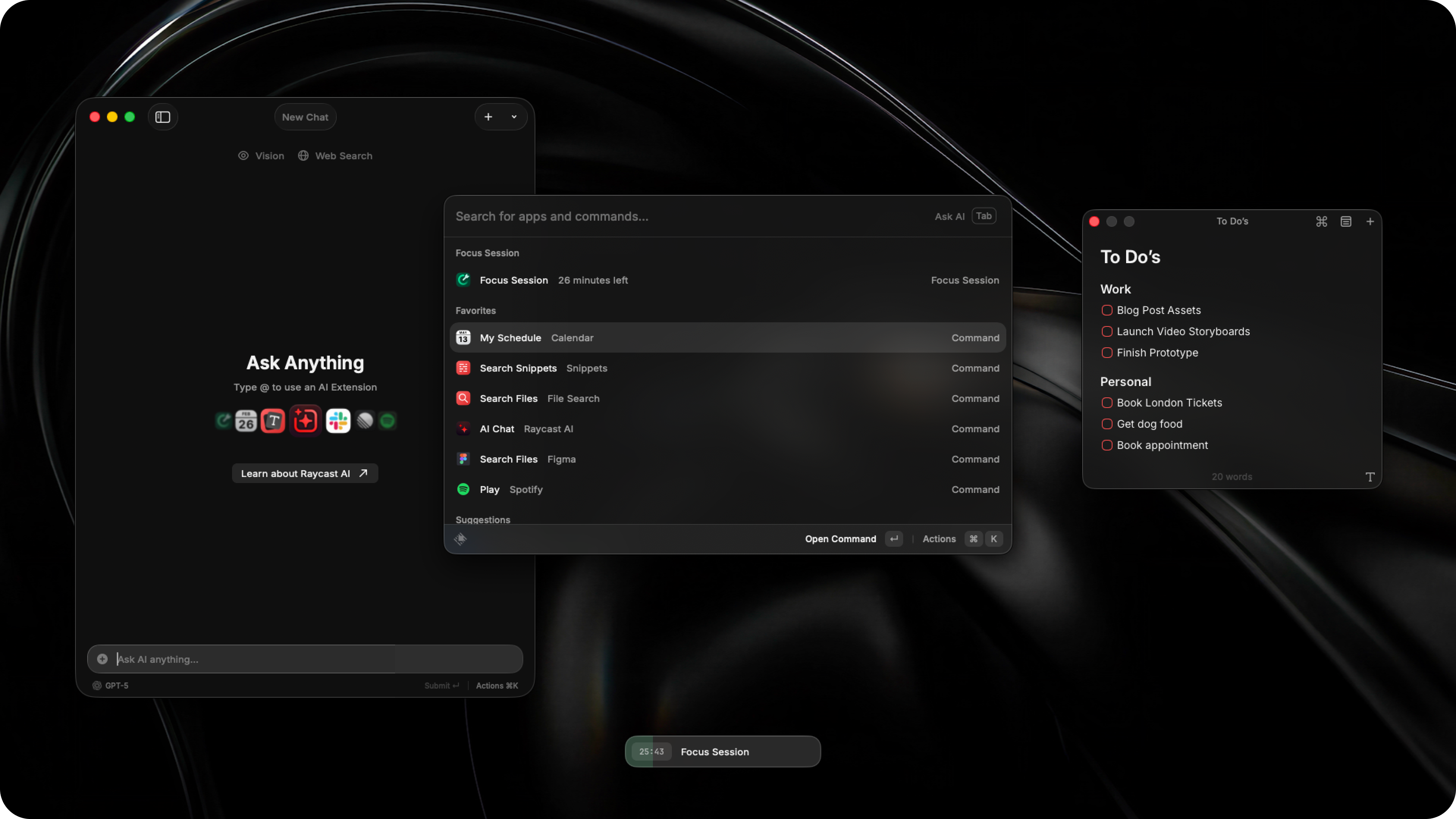
The extension ecosystem sat on a different stack entirely. React, TypeScript, and Node.js, with the UI described declaratively and rendered by the native app. Felix wrote about the architecture in detail here. Choosing a familiar tech stack for third-party developers is a big part of why the store now has thousands of extensions covering almost every tool people use. The API was also designed to be portable. Nothing about an extension assumed it was running on macOS, which allowed us to bring a big part of the catalogue to Windows last year.
Raycast Notes was the first time we used a web view for a major feature in the app. The editor is a React app mounted inside a web view of a native window. It was a test of whether we could build a surface entirely with web tech without breaking the feel of the rest of the app. It worked and Notes is used daily by a big chunk of our macOS and iOS users.
While v1 was a native app at the core, we've always reached for web technologies when they were the right fit. At the end of the day, people enjoy Raycast because of how it feels, not because of what's under the hood.
Why the rewrite
In late 2023 we started thinking about bringing Raycast to Windows. It was always the plan, from day one, but in the early days we wanted to focus on a single platform and nail the experience there before even considering expanding.
By that point, Raycast had also grown from a launcher into a broader productivity platform, with AI Chat, Notes, extensions, sync, file search, and more. The original architecture, built for a launcher, was starting to limit what we could build next. Compile times were creeping up, AppKit was getting in our way more often, and finding people who could go deep on native macOS was getting harder. Even if Windows wasn't on the table, we'd have needed to rethink most of this.
So we set out to figure out the stack for both the new Windows client and the existing macOS one. But first, any project like this needs a good code name. We called it "X-Ray", which stands for cross-platform Raycast.
Picking a stack
We started by looking at what's available for building native apps on Windows – and the state of native UI frameworks there, frankly, is far from great. Microsoft has a history of introducing UI frameworks and then moving on. WPF, UWP, and now WinUI 3, which is still fairly young and not widely battle-tested. If building a polished native app on macOS with AppKit is already challenging, doing it on Windows with WinUI 3 felt like a much bigger risk. Also, the idea of running two independent native apps made us uneasy, considering that most of Raycast's extensions should work identically on both platforms. Maintaining two separate UI stacks would mean twice the work without moving any faster.
That ruled out the fully native route pretty quickly. And since the majority of Raycast's codebase is UI, we couldn't just share a backend and build independent frontends per platform. This pointed us toward a web-based stack. It gives you cross-platform UI by default, a massive ecosystem of libraries, great developer experience, and a talent pool that's orders of magnitude larger than native desktop. Raycast extensions were already built on the web stack and it had been working really well for us, so it felt natural to explore using it for the whole app. Even if we were only building for Windows, web would've been a reasonable choice (Microsoft lists hybrid apps as one of the recommended routes for building desktop apps). The fact that it's inherently cross-platform made it worth considering for macOS too.
So we evaluated three options: Electron, Tauri, and building our own hybrid stack.
Electron would be the obvious choice. And honestly, for most companies it's probably the right one to ship a desktop app. It's well-maintained, battle-tested, and has a huge ecosystem. Apps like VS Code, Linear, or Superhuman prove you can build excellent products with it. Apple and Microsoft haven't made it easy to create complex desktop apps with a big team for their platforms, which is why Electron fills that gap. Genuinely, we think that's a good thing.
But for Raycast specifically, it wasn't the best fit. Our app is deeply integrated with the OS. We rely on global hotkeys, clipboard management, accessibility APIs, window management, custom panels that float above other apps without stealing focus, and much more. We need access to low-level native code to have fine-grained control over how the app behaves. Even small details like translucency of the inner panels matter a great deal to us. Electron makes some of that possible, but the boundary between web and native code can be painful. We also didn't want to bundle Chromium on macOS when we could use the system's WebKit instead. To put it simply, we needed to make sure we were in control of every part of the stack and could easily fall back to native where needed. Electron isn't the best choice for that.
Tauri had similar constraints. It gives you less control on the native side, and at the time it was still young enough that we didn't want to bet the company on it. So we ruled it out pretty quickly.
That leaves us to the hybrid approach. Building our own native shells that wrap system WebViews turned out to give us exactly what we needed. A proper Xcode project on macOS, a Visual Studio project on Windows. Full access to platform APIs. The system's own WebView for UI. And complete control over how each piece talks to the others. To verify if this would actually work, we built a prototype early on. Could we get translucent windows? Native tooltips over WebView content? Would it look and feel like Raycast? The prototype came out looking nearly identical to the native app. Transparent web views blending with the window background, native overlays for things like tooltips and action panels. Essentially the same visual language we'd spent years building.
Though, it wasn't a silver bullet. This approach comes with real overhead. On top of your app, you're essentially building and maintaining the infra that Electron gives you out of the box. IPC between the WebView, native shell, and Node.js backend needs to be set up, debugged, and optimized per platform. There's no community solving these problems for you. We chose it because of how Raycast works. This tradeoff doesn't make sense for most other desktop apps. Electron handles it well enough and saves you months of infra work.
A few other options that we looked at were Flutter, Qt, React Native for Desktop, and running Swift on both platforms (shout out to The Browser Company for this bravery, but we're not as adventurous). But we ruled them out very early. They either lacked the native control we needed, weren't mature enough for our user base, or both.
How it's built
At a high level, Raycast 2.0 consists of four parts:
- Host app: Each platform has its own app, written in Swift with AppKit on macOS and C# with .NET 8 and WPF on Windows. The app controls everything that has to be platform-native, such as setting up windows, observing global hotkeys, configuring the menu bar or tray, and so on. They also load the web frontend in the platform's web view (WKWebView on macOS, WebView2 on Windows) and supervise the Node backend.
- Web frontend: The frontend is one React + TypeScript project that ships to both platforms. It contains all the UI code and builds separate entry points per window (Launcher, AI Chat, Notes, Settings, etc.). The codebase is the same on both operating systems.
- Node backend: A single long-lived Node process owns the app's business logic, such as database access, the extension runtime, other long-lived services, and so on. Node is the shared layer that both platforms talk to, which means feature work happens once.
- Rust core: Rust is used where performance or portability matter more than convenience. Our data layer can be shared with the iOS app. The cloud synchronization shares a schema with its server counterpart. And our custom file indexer is heavily optimized to scan entire hard drives within seconds.
With multiple runtimes in play (Swift/C#, Node, WebView), the different layers need to talk to each other. We use a mix of platform message handlers and stdio transport to connect everything. To make this safe to work with, interfaces are declared in one place and typed clients are generated for every side. This gives us compile-time guarantees across all four runtimes.

In practice, most of the team works in the Web frontend and the Node backend. That's where features get built. The native shells are touched when we need to expose something new from the OS or optimize for the native feel (covered below). Once the boundaries between the four parts are set, most product work doesn't have to cross them.
New File Indexer
In v1, file search relied on Spotlight metadata. It (mostly) worked, but we were limited to what Spotlight had indexed, and it couldn't work on Windows at all. In v2, we built our own file indexer from scratch in Rust. It runs as a separate process, scans the filesystem directly, builds a search index, and keeps it up to date via file system events.
On Windows, walking the NTFS filesystem the normal way is too slow for the scan times we need. So we built a dedicated NTFS scanner that reads the Master File Table directly – the only practical way to index an entire drive in seconds rather than minutes.
The indexer is one of the places where Rust's performance matters most. Scanning hundreds of thousands of files and building a search index needs to happen in the background without affecting the rest of the app. Predictable memory usage and no GC pauses make that possible.
Making it feel at home
What does "feeling native" actually mean when your UI runs in a WebView? For us it comes down to a simple test: if someone used Raycast without knowing what it's built with, would they think it's a regular Mac app? If anything feels off – a wrong animation, a hover state that doesn't belong, a popover that clips at the window edge – we haven't done our job.
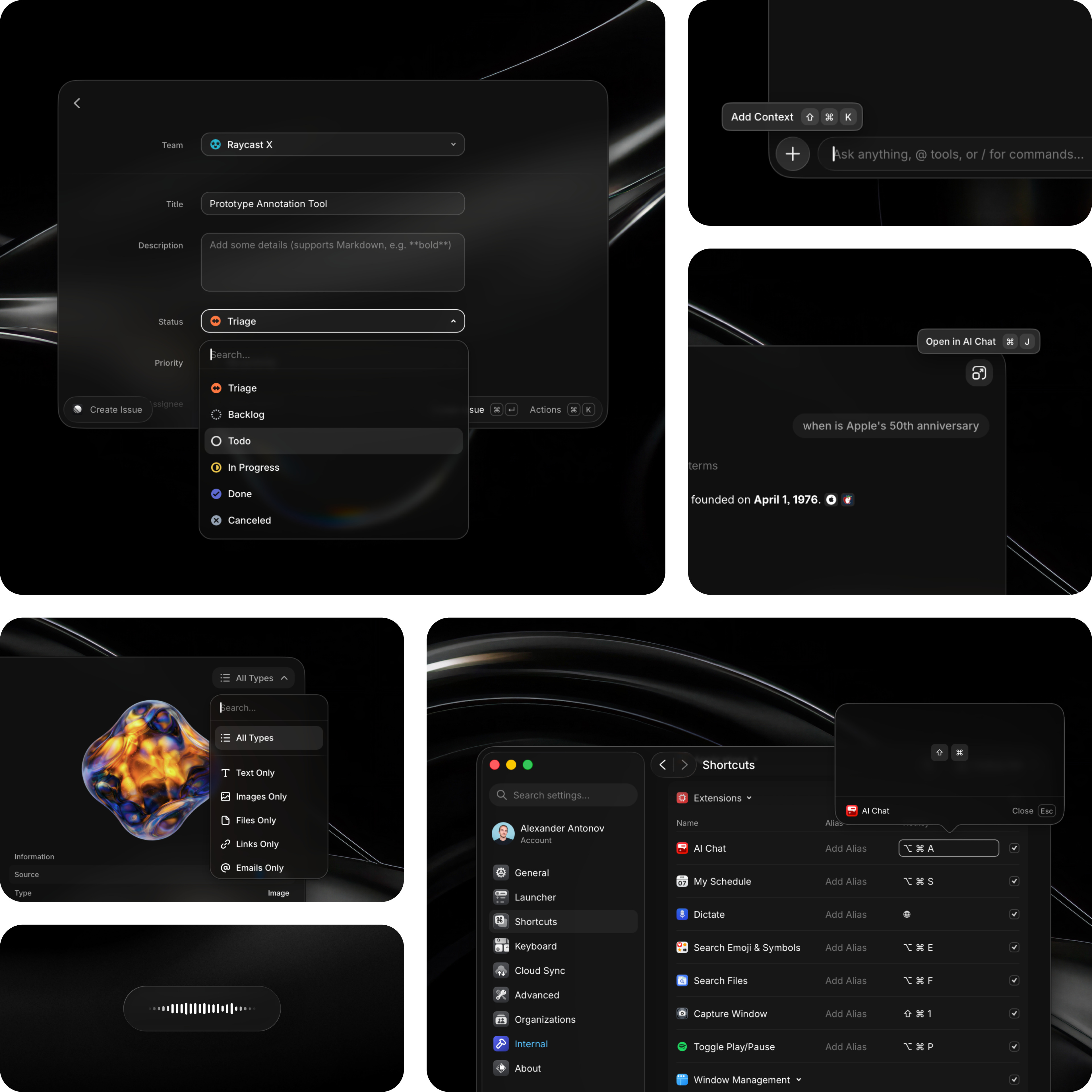
One of our Windows engineers put it well: we're not a web app with some native hooks sprinkled on top. We're a native app that uses web for its UI. That distinction shapes what we spend our time on. Most of the work below isn't about making things look right. It's about making things behave right.
Platform conventions
The easiest way to make a web app feel wrong on the desktop is to follow web conventions where native ones exist. A few things we deliberately match or avoid:
- No
cursor: pointeron interactive controls. Desktop apps don't do this. It's small, but it immediately signals "this is a website." - No hover highlights on most controls. On macOS, buttons and list items don't highlight on hover the way they do on the web.
- Settings open in a separate native window, not a modal or a side panel.
- Popovers and tooltips render as native windows, not as DOM elements inside the WebView. They can extend beyond the window bounds, just like native popovers do.
- On macOS Tahoe, we adopted Apple's new Liquid Glass material so Raycast blends with the system's updated visual language from day one.
- No flickering when views appear or transition. This is a common tell in web apps, and we did a lot of work to eliminate it.
These are the obvious things. The less obvious work is below.
Working with (and around) WebKit
WebKit is a great rendering engine, but it was built for web browsing, not for a desktop app that shows and hides hundreds of times a day. Out of the box, it makes assumptions that are perfectly reasonable for Safari but cause problems for us. We spent a lot of time learning how to work around them.
- Throttling. WebKit throttles
requestAnimationFrame, CSS animations, and timers when it thinks a view isn't visible. For a launcher that's constantly being shown and hidden, this breaks things. We work around it by ordering the window to front but keeping it visually hidden (alphaValue = 0), and disabling WebKit's occlusion detection (windowOcclusionDetectionEnabled = false). Right before showing the window, we trigger our rendering in arequestAnimationFrameto avoid flickering. - Obstructed frame rendering. When Raycast expands from compact to full-size mode, WebKit would leave the previously hidden area blank for a frame or two – it was throttling the area it considered "outside the viewport." We fixed it by keeping the WKWebView frame always at the expanded size, even when the window itself is compact. The WebView renders beyond the window's visible bounds, so when the window expands, the content is already there.
- Window resizing. WebKit suspends drawing during animated window resizes, which caused visible stuttering. We worked around it by overriding
NSWindow.setFrameand replacing the animated call with implicit Core Animation, so the WebView keeps rendering while the window resizes. - Flicker on window open. We use
_doAfterNextPresentationUpdate(a WebKit API for synchronizing rendered state with native presentation) to make sure the WebView has finished drawing before the window becomes visible. Without it, you'd see a flash of stale or empty content. - Emoji rendering. Our emoji picker was initially slow because WebKit was falling back through the font chain for every emoji glyph. The fix turned out to be simple – prewarm the emoji font on startup – but it took a while to figure out what was actually happening.
We also built infra to toggle WebKit Feature Flags at runtime (the same ones available in Safari's Develop menu). We use this internally to unlock the 60 FPS cap and enable requestIdleCallback for non-critical work scheduling.
On Windows
WebView2 is Chromium-based, and Chromium has its own ideas about throttling, rendering, and process management. Getting acrylic blur-behind effects to work with a custom title bar took careful coordination between the native shell and the WebView2 runtime. We control all the initialization parameters ourselves, which lets us avoid the white-rectangle flash that's common in WebView2 apps on startup.
Managing multiple windows is also more involved than on macOS – each window needs its own WebView2 environment configured with the right combination of acrylic effects, custom chrome, and input handling. And we had to do specific work to make sure Chromium doesn't throttle the WebView when our window isn't focused, since Raycast often needs to update while sitting behind other apps.
Memory and performance
The most common critique of web-based desktop apps is that they're slow, bloated, and eat memory. It's a fair concern, and we want to address it honestly.
The short version: yes, Raycast v2 uses more memory than v1. The increase is real, but it is also bounded, measurable, and something we can keep improving. The team treats performance and memory as first-class priorities, not something we'll get around to later.
The numbers
Raycast v1 (fully native UI, Node backend for extensions) would typically sit around 200–300 MB after some usage. Raycast v2 sits around 350–450 MB in a similar scenario. The exact number depends on how many extensions you have, which features you use, and how much content is loaded.
That's higher, and we're not trying to hide it. These numbers are also not final as memory optimization is an active focus area and we expect to bring them down further as we move out of beta. Here's a rough breakdown of v2's memory when the main window is hidden (which is the state Raycast spends most of its time in):
- WebView (WebContent): ~120-200 MB
- Node.js backend: ~150-200 MB
- Native app (Swift shell): ~40 MB
- WebKit GPU process: ~18 MB
- WebKit Networking: ~12 MB
The native shell is lightweight. The WebKit GPU process drops to under 20 MB when the window is hidden (it can spike higher while you're actively using Raycast, but that memory is released when you dismiss the window). The two main costs are the WebView and the Node backend.
For comparison, the baseline cost of an empty WebView with no content is about 50 MB, and a bare Node.js process with no imports is about 12 MB. Those baselines are part of the trade-off. The rest is our application code, loaded modules, icons, and cached resources, and that's something we control and continue to optimize.
Not all memory is the same
This doesn't make the higher footprint irrelevant, but it helps explain what you see in Activity Monitor. When you open Activity Monitor on a Mac, the number you see for each process is not as straightforward as it looks. macOS uses available RAM aggressively – it caches files, compresses inactive pages, and keeps things in memory to make your system faster.
A few things worth knowing:
- Compressed memory. When physical RAM gets scarce, macOS compresses inactive pages instead of writing them to disk. This is fast and means a process that looks like it's using 200 MB might actually be costing much less in practice. An idle Node backend with a fat heap compresses well.
- Dirty vs clean pages. Not all resident memory is equally expensive. Clean pages (like mapped binary code) can be dropped and re-read from disk for free. Dirty pages (like the V8 heap or decoded images) are the ones that actually cost you. Most of what makes our binary large on disk is clean memory the OS can reclaim instantly.
- Shared frameworks. Activity Monitor charges system framework memory (WebKit, system libraries) to every process that uses them. When you sum up the numbers across Raycast's processes, you're double-counting shared pages. The real system cost is lower than what Activity Monitor suggests.
- Memory Pressure is what actually matters. The graph at the bottom of Activity Monitor's Memory tab is the real indicator of whether your Mac is struggling. If it's green, the system has plenty of room, even if individual process numbers look high. The OS is doing its job – using available RAM to keep things fast, ready to give it back when something else needs it.
None of this is an excuse to be careless with memory. We track phys_footprint (the metric closest to what Activity Monitor shows) and actively work to reduce it. We've already cut v2's footprint significantly during development – early builds were considerably higher than where we are today. We're also testing especially on lower-memory machines, because that's where this matters most. But we want readers to have the right mental model when they look at the numbers.
Memory aside, there are areas where v2 is noticeably faster than v1.
- Search. Root search in v2 includes full file search powered by our new Rust-based file index. In v1, file search was available only via a separate command and relied on Spotlight metadata. The new indexer searches your files directly, with no dependency on Spotlight, while keeping the rest of the search experience responsive.
- Text rendering. AI Chat and any feature involving rich text rendering is where WebKit really shines. Decades of text layout and rendering optimization for the web show here – scrolling through long conversations, rendering markdown, handling code blocks with syntax highlighting. TextKit on macOS is capable, but WebKit has had more investment in exactly this kind of workload.
We're not done yet. Memory and performance are active areas of focus, and we know there's room to improve. The team is working on reducing the steady-state footprint further, making more of the frontend and backend load lazily, optimizing icon and image handling, and tightening the V8 heap. After all, it's still in beta.
Trade-offs
No rewrite comes for free. Here's what got better and what got harder.
What's better
Let's start with the positives. Here's what we feel improved with the second version of Raycast:
- Development speed. This is the biggest one. Hot reloading means UI changes show up in under a second, compared to recompiling the Swift target and restarting the app in v1. We can prototype, iterate, and fix bugs significantly faster. This benefits users directly – features ship sooner, and fixes land quicker.
- One team, two platforms. Most product work happens in the shared web frontend and Node backend. When we ship a feature, it works on macOS and Windows. In v1, every UI change was macOS only by definition. As a bonus, the mobile team will benefit from the Rust model layer and new sync engine.
- Hiring. Finding engineers who can work on React, TypeScript, and Node is much easier than finding engineers with deep AppKit experience. This doesn't mean we stopped needing native engineers – we still have dedicated Swift and C# engineers working on the host apps – but the majority of product work no longer requires specialized platform knowledge.
- Richer UI. Some things are just easier to build well with a web stack: rich text editing, markdown rendering, and complex layouts with animations. Notes and AI Chat both benefit from this. It also gives us mature building blocks for areas like editing, parsing, and rendering, while still letting us own the parts that make Raycast feel like Raycast.
- Extensions got simpler. Since Node.js is now bundled with the app, you no longer need to download it separately when you first install an extension from the Store. And because the app itself runs on the same stack as extensions (React, TypeScript, Node), building internal features and building extensions feel almost identical.
What's harder
Not everything is perfect, so here are the downsides of a more involved tech stack:
- Higher memory baseline. As covered in the previous section, v2 uses more memory than v1. The WebView and Node processes add a baseline cost that a fully native app doesn't have. Keeping memory low is achievable with a web stack; it just takes more deliberate effort. We're actively working on minimizing the gap and expect these numbers to come down as we move out of beta.
- Stack complexity. Four runtimes (Swift or C#, Node, WebView, Rust) means more moving parts. Debugging an issue might take you from the React frontend through IPC to the Node backend and into a Rust module. The typed IPC codegen helps keep things in sync, but the stack is objectively more complex than a single-language native app.
- Windows diversity. Windows is a much more diverse platform than macOS. Users run different OS versions, hardware configurations, and display setups – 8 GB of RAM on a 4K display with an older CPU is not unusual. Using the system WebView also means the WebView2 version can differ across machines, so we need to account for different rendering behaviors and API availability. There's more surface area to test and more edge cases to handle.
- Some native niceties are harder. Things that come for free in AppKit – like certain accessibility behaviors, drag and drop edge cases, or IME handling – require explicit work in a WebView. We've addressed the important ones, but there's a long tail of small platform behaviors that need attention, and we're still working through it.
- Window startup on demand. In v1, windows like AI Chat and Notes were always kept in memory once invoked, so they'd appear instantly when you hit the hotkey. In v2, we tear down inactive windows more aggressively to keep memory in check, which means there's a short delay when you open them cold. We're working on getting the balance right – adding grace periods so windows stay warm when you're quickly switching between them, while still reclaiming memory when you're not.
We think the trade-offs are worth it. Not because the cons don't matter, but because the gains in development speed, cross-platform reach, and hiring directly translate into a better product over time. The harder parts are solvable with engineering effort. The better parts would have been very hard to get any other way.
Where we go from here
If you've made it this far, you might be expecting a verdict on which approach is "best." We don't really think about it that way. We see code as a means to an end. What matters to us is the product, not the stack. We're our own users, we use Raycast every day on every machine we own, and we won't ship something if it doesn't feel right. That's the bar, and it's why the rewrite took so long.
Raycast 2.0 is now in public beta. If something feels off, feels slow, or doesn't feel like Raycast, tell us. That kind of feedback is exactly what we need right now.
A quick thank you to the team that pulled this off. What started as a prototype is now in the hands of everyone who wants to try it. This wouldn't have been possible without an enormous amount of hard work and sweating the details.
We're in this to keep pushing what productivity means on the desktop, especially now that AI is changing how people interact with their machines. With this new codebase, we can move fast, ship a high-quality app on two platforms, and stay close to what users actually need. There's a lot more coming. See you soon!