v2.12November 12, 2026
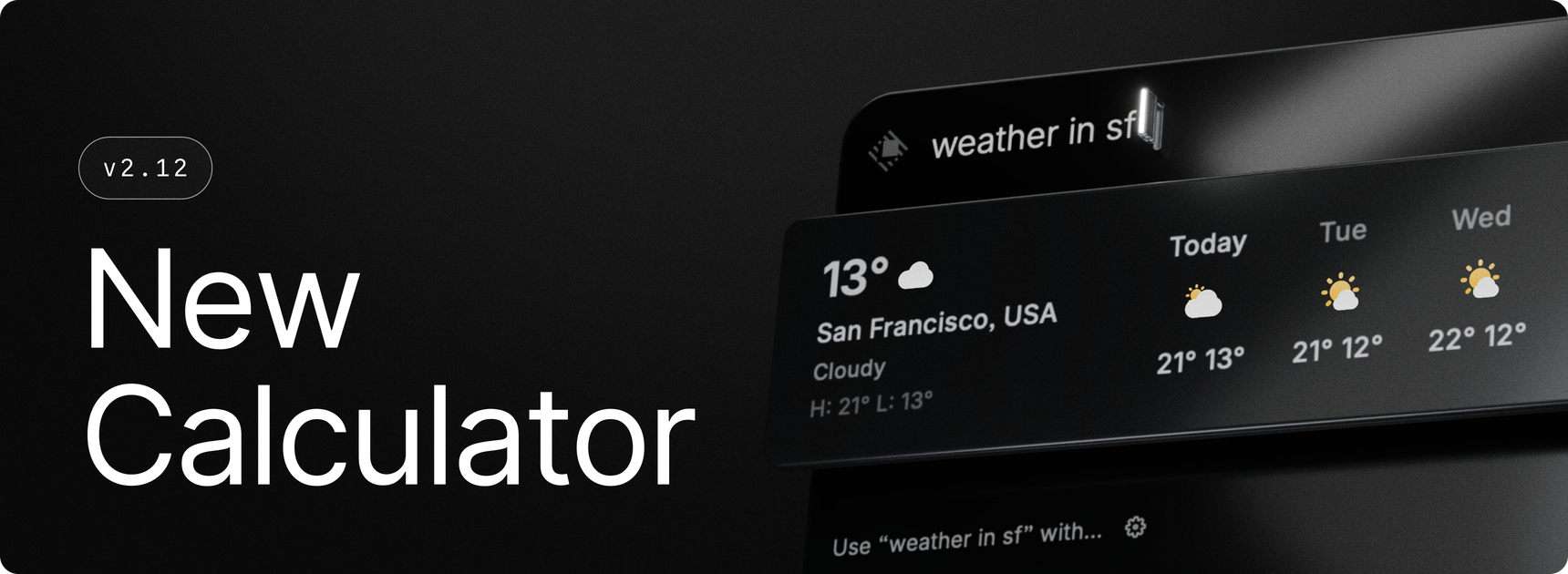
A brand new Calculator. We rebuilt the calculator from scratch. It’s 60x faster and uses 65% less memory, and it understands a lot more. You can ask about the weather, track flights, look up any place and use many more units, functions and phrases.
✨ New
- Calculator: Ask about the weather with
weather in Paris,weather tomorrow,weather in 4 hoursorLondon feels like, and use the values in calculations, liketemperature in Paris in fahrenheit - Calculator: Track a flight by typing its number, like
flight 6E2341 - Calculator: Get travel times with
time to Paris by carorwalking time between Paris and Lyon - Calculator: Look up any place by name, not just big cities, like
time in Chamonixordistance from Chamonix to Paris - Calculator: Added week numbers (
week 44 2026), time left (days left in this month,hours left in today),days since march, time zone abbreviations (4:00 PT in UTC) and clock math in other places (time in Brisbane + 4) - Calculator: Added
e,round(23.456, 1), function-style lists likesum(1, 2, 3)ormax(2 hours 30 min, 200 min), rounding to steps (3.3 to nearest quarter), fractions (1.75 as improper) and any base up to 36 - Calculator: Added tips, tax and VAT (
15% tip on $80,20% vat in 120) and bill splitting (25% off $60 split 3) - Calculator: Added dozens of new units, physical constants (
speed of light in km/s), chemistry (molar mass of C6H12O6), running pace (5:00 min/km in km/h), download times (transfer 1 TB at 100 Mbps), musical notes (c4 to hz) and text functions (first 10 characters of "hello") - Contacts: Added a Create Contact command and action
- Dictation: We’ve added a new experimental microphone warming setting to the dictation microphone settings. This lets you keep your mic warm using one of several options to help with the cold start of Bluetooth devices.
- Organizations: Copy an organization's invite link straight from Settings → Organizations with the new Copy Invite Link button
- Settings: Extensions in the sidebar now have Disable and Manage actions in their context menu
💎 Improvements
- AI: Browser tools now work across several connected browsers, so AI reads and manages tabs in the right one
- AI: Raycast AI now pairs with your browser using a one-time code before it reads your history or bookmarks. You can see and forget paired browsers in Settings → Browser.
- AI: Updated design when dragging files into a chat
- AI: Faster loading of chats with code blocks, math and markdown
- Applications: Quit and Hide actions only show when the app is running
- Calculator: Improved accuracy. Discounts always subtract, tips always add,
15% decrease from 813subtracts, unit conversions use exact factors, and negative times and lengths keep their sign. - Dictation: Background audio options now include pausing and lowering audio, instead of solely just muting it.
- Focus: Pause and Resume Focus Session can now be added to Favorites
- Focus, Keep Awake & Calendar: Duration fields understand more inputs, like
45m,1:30,until 3pmorby friday - Memory Usage: Reduced memory usage under the hood by about 25%.
- Open Camera: Remembers the camera you last selected
- Organizations: Copy Organization Invite Link lets you pick the organization when you're in several, and explains when a link can't be copied, like when SSO manages your members or you're not a manager
- Root Search: When entering text in a field directly in the action panel (like setting an alias, renaming a clipboard entry/file, etc), we now shake the window when attempting to submit an empty value
- Search Arguments: Improved use of available space, allowing you to see more of your inputs
- Search Arguments: Improved design with the command icon, larger fields/fonts
- Search Arguments: Now only show errors when submitting
- Search Arguments: Generalised showing the command name as placeholder next to arguments to all views using them (Search Quicklinks/Snippets/Scripts/AI Commands, etc)
- System: Raycast does less background work while your Mac is asleep
- Window Management: Applying a layout now moves windows to the current Space and positions full-screen apps correctly
🐞 Fixes
- AI: Fixed MCP servers you stopped while they were connecting starting again
- AI Chat: Fixed sidebar rows appearing in incorrect positions and chats not restoring correctly after unarchiving
- AI Usage: Fixed menu bar usage colors and appearance updates when switching between light and dark mode
- Account: Fixed a sign-in or sign-out sometimes being undone by a background refresh
- Applications: Fixed localized app names showing in English and not being searchable
- Applications: Fixed apps not being found by their keywords
- Calculator: Fixed the time in another time zone showing your local date instead of that place’s date
- Clipboard History: Fixed an issue where the “Paste Sequentially” command wouldn’t retain all representations, thus sometimes dropping links
- Clipboard History: Fixed pastes into browsers sometimes inserting nothing or the previous clipboard contents
- Clipboard History: Fixed copies from Edge web apps ignoring per-app exclusions
- Clipboard History: Fixed small images pasting as TIFF instead of PNG
- Clipboard History: Fixed consecutive screenshots from apps like Monosnap merging into one entry
- Cloud Sync: Fixed sync not connecting after joining a VPN that uses a PAC proxy
- Extensions: Fixed a crash when an extension cancelled a network request
- Extensions: Fixed wrong ellipsis cutoff in detail view metadata when an icon is present
- Extensions: Fixed Open in Editor sometimes opening a non-editor app like VLC for .ts files
- File Search: Fixed dragging a file sometimes dragging its parent folder
- Hotkeys: Fixed the recorder dropping the letter key while Hyper Key is held
- HUD: Fixed an issue where huds from the main window would sometimes not adapt to the current appearance (light/dark) making the text unreadable
- Hyper Key: Fixed the permission error staying in Settings after Hyper Key recovered
- Main Window: Fixed Raycast hiding when the previous app quits, and opening off-center after display changes
- Main Window: Fixed the window staying open when a no-view command finishes quickly
- Root Search: Fixed a bug where pressing escape to close a search argument dropdown would sometimes dismiss the window
- Snippets: Fixed placeholders not being replaced when a link split them or when they were inside a link’s URL. Nested snippets now keep their formatting and links too.
- Screen Awareness: Fixed capture sometimes picking Raycast's own window
- Screenshots: Fixed
Paste Latest Screenshotnot restoring your previous clipboard - Snippets: Fixed consecutive expansions sometimes failing in Arc, Dia and Chrome
- Switch Windows: Fixed quit apps and closed windows staying in the list
- UI: Fixed an issue where very long tags could overflow the tag picker
- Window Management: Toggle Grid Overlay now applies your Window Gap and Screen Gap, and Restore brings the window back afterwards (Mac OS)
- Window Management: Fixed commands failing on After Effects and Photoshop, on new windows, and on windows taller than their display
- Window Management: Fixed Move to Space leaving apps like VS Code and Zed behind, and Hyper Key chords resizing the window
- Window Management: Fixed Maximize ignoring Respect Stage Manager on a second display